P.Chief setup
Connect your email and calendar to your personal chief.
P.Chief is your personal assistant — one per user, DM-only. It needs OAuth access to your email and calendar to do its job.
What P.Chief needs
- →Email access — Gmail (Google Workspace) or Outlook (Microsoft 365)
- →Calendar access — Google Calendar or Microsoft Calendar
You authorize these via OAuth. P.Chief never sees your password.
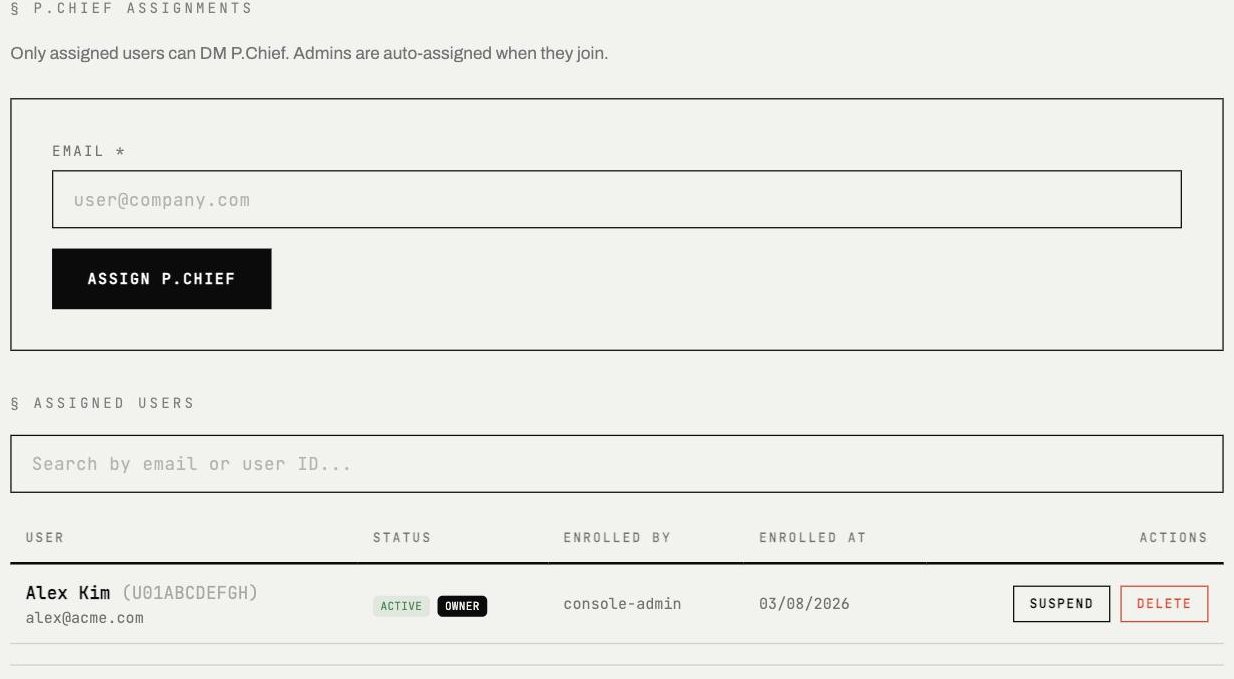
Admins assign who can DM P.Chief from the console — assign a user by email, then track each person's enrollment status.
Google Workspace setup
- →Open a DM with
@PChief-Awkin Slack - →Tell it:
connect my Google account - →P.Chief sends you an OAuth authorization link
- →Click the link and sign in with your Google account
- →Authorize access to Gmail and Google Calendar
- →Return to Slack — P.Chief confirms the connection
That's it. Try: What's on my calendar today?
Microsoft 365 setup
- →Open a DM with
@PChief-Awkin Slack - →Tell it:
connect my Microsoft account - →P.Chief sends you an OAuth authorization link
- →Click the link and sign in with your Microsoft account
- →Authorize access to Outlook and Calendar
- →Return to Slack — P.Chief confirms the connection
If your organization uses Microsoft Entra ID (formerly Azure AD), your admin may need to approve the consent request before you can authorize.
What P.Chief can access
Once connected, P.Chief can:
- →Read your emails and calendar events
- →Draft email replies on your behalf
- →Create, update, and cancel calendar events
- →Schedule meetings across time zones
P.Chief operates under your OAuth permissions. It can only do what your email and calendar provider allows.
Privacy
- →Your email and calendar data is processed only when you ask P.Chief to act on it
- →All LLM processing uses commercial provider APIs under terms that prohibit training — your content is never used for model training
- →P.Chief cannot access other users' accounts
Troubleshooting
OAuth consent blocked by admin Your Microsoft Entra ID or Google Workspace admin may restrict which apps can receive OAuth consent. Ask your admin to approve the Awk Teams application.
Token expired
OAuth tokens can expire. If P.Chief stops responding to email or
calendar requests, tell it: reconnect my account — it will send a
fresh authorization link.
Wrong account connected
Tell P.Chief: disconnect my account and then connect my Google account
(or Microsoft) to start over with a different account.