Roles & permissions
Owner, admin, and member roles, ownership transfer, and SSO.
Awk Teams uses role-based access to control who can manage billing, integrations, and team settings.
Roles
| Role | What they can do |
|---|---|
| Owner | Billing and credits, connecting Slack, GitHub, Jira, and Microsoft, creating teams and agents, inviting admins, removing or suspending members, SSO and SCIM settings, ownership transfer, closing the account |
| Admin | Configure the teams they are assigned to, manage P.Chief assignments for those teams, and view those teams' audit logs |
| Member | Use agents in Slack, view the dashboard, view their own usage |
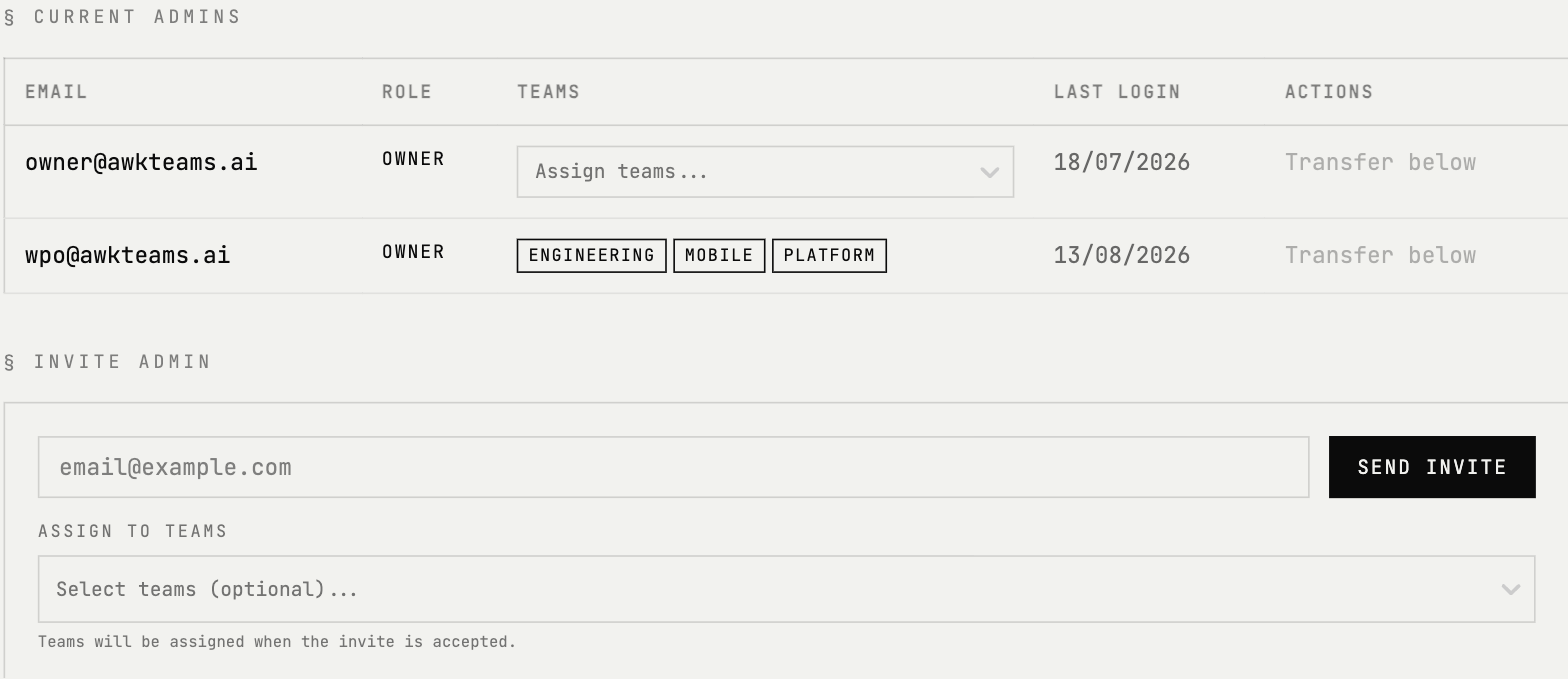
The person who creates the account is the owner. Each account has one owner; admins are scoped to the teams they manage.
Adding team members
Console access is by invitation. Signing up with a work email on the same domain does not, on its own, add you to an existing account — the owner has to invite you.
The owner invites admins from Admins → Members and scopes each one to the teams they will manage.
Removing members
The account owner can remove or suspend members from the console. When a member is removed:
- →P.Chief stops acting for them
- →Their stored OAuth grants (Gmail, Calendar, Microsoft 365) are deleted from Awk Teams, and revocation is requested at the provider
- →They lose access to the Awk console and agents
Ownership transfer
The account owner can transfer ownership to another admin:
- →Go to Admins → Members in the console
- →Select the admin you want to transfer ownership to
- →Type their email address to confirm the transfer
Both parties receive an email confirmation. The previous owner keeps admin access on any teams they already administer; otherwise they become a member.
SSO (Single Sign-On)
SAML 2.0 single sign-on is available on Scale and Enterprise plans, and has been tested with Google Workspace and Microsoft Entra ID (formerly Azure AD). As standards-based SAML 2.0, it is also compatible with other SAML 2.0 identity providers, including Okta.
The owner configures SSO from Settings → SSO Configuration in the console. If you'd like a hand, contact hello@awkteams.ai.
SCIM provisioning
SCIM 2.0 is available on Enterprise plans and has been tested with Okta. It automates user provisioning and deprovisioning — when someone is assigned in your identity provider their Awk Teams account is created automatically, and when they are unassigned or deactivated their access is removed automatically.
For full details on SAML SSO, SSO enforcement, SCIM, and offboarding, see Enterprise SSO & SCIM.
Audit logs
All agent activity is logged. Retention depends on your plan:
| Plan | Retention |
|---|---|
| Starter | 30 days |
| Growth | 90 days |
| Scale | 1 year |
| Enterprise | 10 years (configurable) |
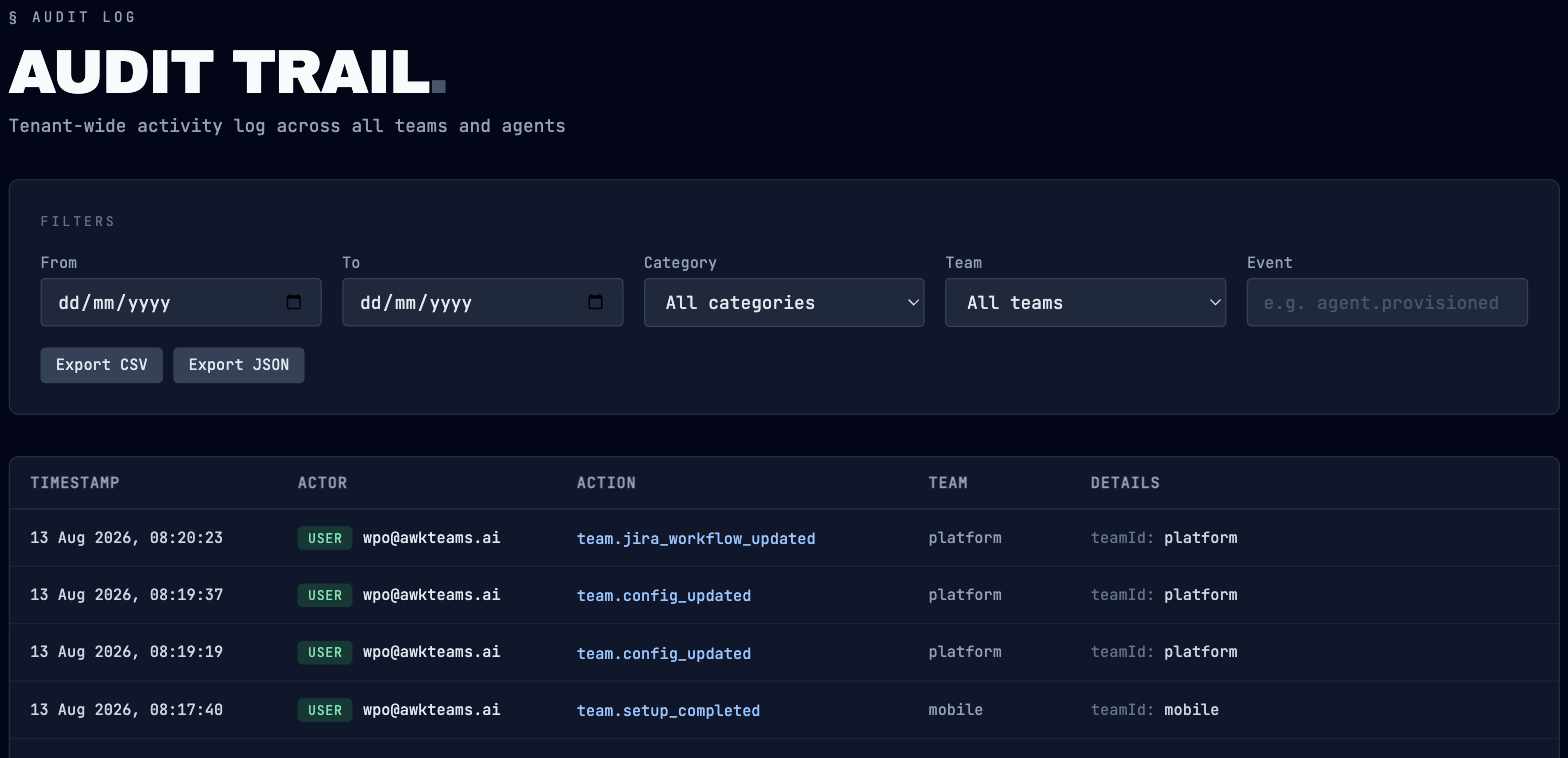
Audit logs include agent actions, tool calls, handoffs, and admin changes. View them in the console under Admins → Auditing, where you can filter by date, category, team, or event — and export the trail as CSV or JSON.